|
- Shoola Chakra How to Access - Open/View any Horoscope |
Steps to Install - Download the Setup file from the
below section Please download and run the Setup file using the "Run as Administrator" option in Windows Explorer. You should have installed KPNoX+ 3.x full version previously and activated the license on your PC to use the Beta edition. |
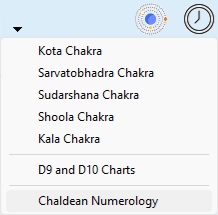 What's New
| For Existing Subscribers Only | |
|
|
|
Please Note: This is a Beta edition. Features may be added/modified before the final release. The Database that is included in the Setup file is a BLANK one (no client records). Please make sure you DON'T install the Beta edition in the same folder you currently have KPNoX+ 3.x installed. Data cannot be retrieved if you overwrite it. You can run your existing KPNoX+ 3.x installation and the Beta edition separately at the same time. There is no support provided for the Beta edition. We welcome any feedback from your end (please email support@kpnox.com). We do not have a timeline currently for the release date. Warranty: |